
How to Make a Mind Map for Maximum Productivity. How to Make a Mind Map for Maximum Productivity. In yesterday’s post, I discussed the power and simplicity of mind maps to help you get organized.

(If you missed it, check it out here.) Today, I want to give you a quick primer on how to make your own mind map. If you haven’t used mind maps before, you’ll be mapping in no time. And if you are familiar with the technique, maybe you will pick up a new idea or can share one of your own. Let’s get mapping! How to Make Your Mind Map As I mentioned in the previous post, you can make your map on paper or with a software application. Let’s jump right in and make our first map. Here are the basic steps… Start with a Central Topic or Idea – Most mind maps are based around one central topic or idea.
Here is a quick video example of me creating a simple mind map. If you can’t see this video in your browser, click here to view it. Tools To Use I often get asked for productivity tool recommendations. MindMeister – MindMeister is a great online mind mapping tool. Your Map – Your Imagination It’s your map. Mind Mapping and Brainstorming Software - Mindomo. Online Diagram Software and Flowchart Software - Gliffy. Rubric. The following is a general rubric that you can adapt for your lesson or share with your students.

Depending on the nature of your course, you might adjust the balance of textual content, multimedia, or creativity. This rubric is based on 18 points. If you would prefer a word grade instead of a numerical fraction out of 18: 18 to 16 = Exemplary15 to 12 = Proficient11 to 6 = Needs Improvementless than 6 = Deficient Please take a few minutes to let us know how the nodemap lesson worked with your class. Spice up the classroom. SpicyNodes makes education more authentic and tangible.

Use SpicyNodes in teaching and research for a broad range of ages. Discover why SpicyNodes is an effective teaching tool. Or get ideas right away from the lesson plans below... Teachers from various disciplines have created lessons that incorporate SpicyNodes into curricula. We invite you to see if your class could benefit from them: Forms of energy (Physics) - Engage students in an interactive exploration of forms of energy and energy transformation. Are you using SpicyNodes in your classroom? More about sharing » Visualize the Web. Do you like concept maps?

I do because I'm a "visual learner. " I read a rather funny Twitter back and forth between two people the other day about in which one stated "We are all visual learners, so quit calling yourself that! " Funny and accurate. Concept maps were new to me before I began my M.Ed., and I fell in love quickly with Webspiration. I have found that it is a difficult transition for students to go from traditional outlining to concept mapping but Pearltrees is going to bridge that for me in the fall. Home. Brainstorm and mind map online. Untitled. XMind - Mind Mapping and Storming.
Inspiration. Mind Mapping Tools. Interactive Graphic Organizer. Holt Interactive Graphic Organizers "Graphic organizers are tools that help your brain think.
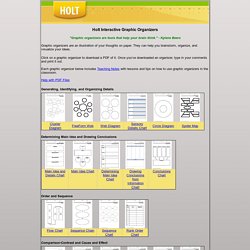
" - Kylene Beers Graphic organizers are an illustration of your thoughts on paper. They can help you brainstorm, organize, and visualize your ideas. Click on a graphic organizer to download a PDF of it. Once you’ve downloaded an organizer, type in your comments and print it out. Each graphic organizer below includes Teaching Notes with lessons and tips on how to use graphic organizers in the classroom.
Help with PDF Files Generating, Identifying, and Organizing Details Determining Main Idea and Drawing Conclusions Order and Sequence Comparison-Contrast and Cause and Effect Process and Cycle Diagrams Evaluating and Making Decisions Persuasive and Supporting a Position Vocabulary Miscellaneous Organizers Graphic Organizer Teaching Notes.