

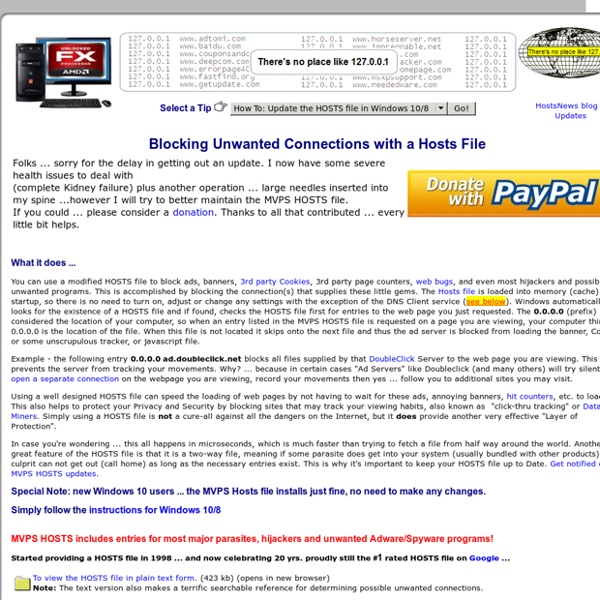
http://winhelp2002.mvps.org/hosts.htm
Related: enrico.a • shiny stuffKyle Scarmardo - Motivation Matters Kyle Scarmardo talks with Dave Rael about being deliberate with your time, the importance of self-awareness, coaching and mentoring, and taking action Kyle spent sixteen years in the Information Technology space for a large financial company, the 20th largest private company in America, where he worked his way up from the bottom to become an executive in 13 years at the age of 35. The latter part of his career heavily involved helping others with self-improvement, career growth, improving executive function, applying new strategies to better communicate and influence, and assist with culture change. Information Security Policies and Procedures Part 1 Note: This is part of an ongoing series on documentation development. Policy writing can be a daunting task, and one for which many are not overly enthused. However, Policies and Procedures are an integral part of any information security program. Not only do they provide direction and accountability, many specific policy elements are a requirement of specific laws, regulations, and/or standards.
agile SE-Radio Episode 307: Harsh Sinha on Product Management Bryan Reinero talks with Harsh Sinha, VP of Engineering at TransferWise, about Product Management. Product Management deals with the planning, delivery and marketing of a software product. The discussion covers how those functions are achieved, and how product management interfaces with engineering; how product requirements are derived from customer needs; how teams build product based […] Continue Reading » SE-Radio Episode 306: Ron Lichty on Managing Programmers
Information Security Policies and Procedures Part 2 This is part of an ongoing series on documentation development. Please be sure to read the previous posts in this series: Part 1Knowing which policies are necessary in your environment can be a challenge. Most organizations will have at least some formalized policies. Many of these are in response to legal requirements (HR policies) or specific incidents. After someone leaves their laptop in the car trunk for 6 hours on a 100 degree day, a policy on the care of equipment is generally issued.
Your Personal PLC Tutor Site - RS232 Communications/software Learn quickly with our PLC Training DVD Series: on sale $599.00 $379 Click here now for details! RS-232 Communications (software) Now that we understand the hardware part of the picture, let's dive right into the software part. We'll take a look at each part of the puzzle by defining a few of the common terms. Ever wondered what phrases like 9600-8-N-1 meant? Do you use software-handshaking or hardware-handshaking at formal parties for a greeting?
Hacking the WPA Airwaves It is interesting how many people believe that their wireless is secure because they are using WPA. Well we did a test recently and were able to basically password guess our way with a dictionary attack using either a straight dictionary or a rainbow table. The cool thing is I bought an ALFA USB antenna and could sit down at the corner coffee place and still see my wireless access point. Security people: Be sure that your WPA password is an unreadable string, not something found in a dictionary, and not a phrase that you can read like op3nth3p0dbayd00rs, the tables of today are too intelligent for that. In a nutshell using linux this is how it is done: Part I
Audit and document Security User Rights Assignment using C# For more information on the Windows Server documentation abilities of XIA Configuration please see the following We've recently been asked about the auditing of User Rights Assignment as seen in the Local Group Policy Editor. Having looked into this issue it is apparent that this cannot be done with any high level API such as WMI and requires the use of P/Invoke and the Win32 method LsaEnumerateAccountsWithUserRight. FCC's Ten Key Cybersecurity Tips for Businesses Broadband and information technology are powerful factors in small businesses reaching new markets and increasing productivity and efficiency. However, businesses need cybersecurity tools and tactics to protect themselves, their customers, and their data from growing cyber threats. Here are ten key cybersecurity tips for businesses to protect themselves: 1. Train employees in security principles Establish basic security practices to protect sensitive business information and communicate them to all employees on a regular basis.
Unity 3 – April 2013 patterns & practices Developer Center April 2013 Unity is a lightweight, extensible dependency injection container with support for instance and type interception. Overview Unity is a lightweight, extensible dependency injection container with support for constructor, property, and method call injection. It facilitates building loosely coupled applications and provides developers with the following advantages: Information Security Policies and Procedures Part 5 This is part of an ongoing series on documentation development. Please be sure to read the previous posts in this series: Part 1 Part 2 Part 3 Part 4 In this installment, we will discuss fonts, and then move on to additional structural elements necessary in documentation, starting with policies. Does the font matter?
Ten Common Database Design Mistakes No list of mistakes is ever going to be exhaustive. People (myself included) do a lot of really stupid things, at times, in the name of “getting it done.” This list simply reflects the database design mistakes that are currently on my mind, or in some cases, constantly on my mind. I have done this topic two times before. If you’re interested in hearing the podcast version, visit Greg Low’s super-excellent SQL Down Under. I also presented a boiled down, ten-minute version at PASS for the Simple-Talk booth. Information Security Policies and Procedures Part 4 This is part of an ongoing series on documentation development. Please be sure to read the previous posts in this series: Part 1 Part 2 Part 3 The formatting and structure of documentation may not seem like the most enthralling topic, and in many (most) ways it is not. It is however one of the most important elements of effective documentation. Delivering information in a clear and consistent way is essential to ensure documents are easy to use and effective. From your organization’s logo to the approval of the board, documentation should look, feel, and be official.
Five simple database design tips A flawed database can affect all areas of your application, so getting the design right is of paramount importance. Check out Builder's five simple design tips, and share some of your own. If an enterprise’s data is its lifeblood, then the database design can be the most important part of an application. Volumes have been written on this topic, and entire college degrees have been built around it. However, as has been said time and time again here on Builder.com, there’s no teacher like experience.
Information Security Policies and Procedures Part 3 This is part of an ongoing series on documentation development. Please be sure to read the previous posts in this series: Part 1 Part 2 While we are still at the beginning stages of preparing to develop policies, procedures, and related documentation, it is important to mention a few things not to do:
Helps against malicious software and protects your privacy by misterbigt Apr 20