

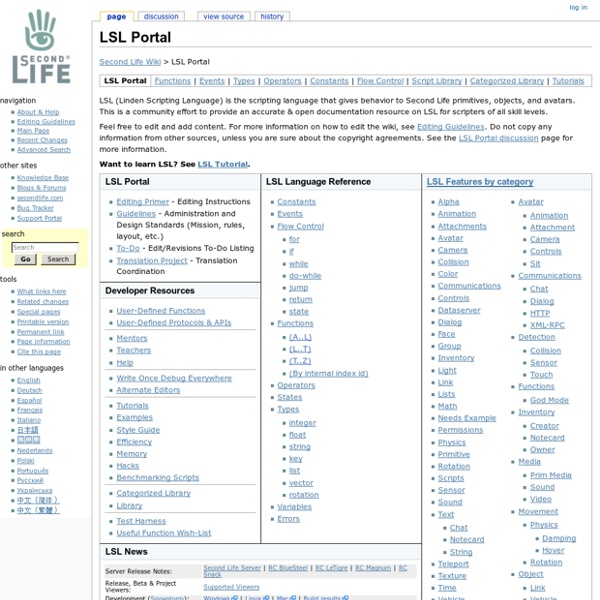
http://wiki.secondlife.com/wiki/LSL_Portal
Related: SLScript Libraries - The Schommunity Wiki From The Schommunity Wiki As we get more involved with Second Life it's becoming clear that we need to find and share useful scripts. This page is a list of scripting resources we've found, and scripts we're working on (some complete, and some still in production). Scripting Snippets, 7: Creating a HUD « A View From Another Life This is going to be a long one. Get yourself a cup of coffee first. What is a HUD? If you have to ask that question, you probably won’t get much from this article, but HUD is an acronym of Head-Up Display, and allows creators in Second Life to add a user-interface to gadgets. They are created from prims just like any other user-created objects in Second Life, but they are only visible to their owner, and always appear ‘flat’ against the screen.
Build Tools How to build objects This page presents a short "crash course" on building in the Second Life® virtual world. Getting started s 3D Tools and LSL Script Repository Image UUID: 40474b70-5a33-5102-6872-14a926fc53f7 Due to sp4mz0rs, I am forced to cut of any possible form of communication on this website. So the script submit form is gone and it is also not possible to post comments or questions any more. I can be contacted in-world if you really need to. I’ve always been wondering about the ideal system requirements for running a sim on a server and I may have found a somewhat clear answer at the OSGrid forum. ( ) It is an article from 2008, but most likely still suitable today.
LSL 101/A Gentle Introduction From Second Life Wiki Second Life Wiki > LSL 101/A Gentle Introduction A Gentle Introduction to Scripting in Second Life LSL 101: The Wikibook is written for the SL user who has no experience with computer programming; or, for users with programming experience who would like a gentle introduction to LSL. This section assumes you have basic building skills, since scripting is just one aspect of building. Category:LSL Library Script Library NOTE: Please add your scripts to this page and then add them to a category on the Categorized Library page. Come to this page to see complex examples that show how to combine parts of LSL. Go to the LSL Examples page to see brief examples of how to use parts of LSL. Why collect complex examples here?
Script Me! english français deutsch 日本語 What is this? This site will help you create scripts for your Second Life objects. Research Observatory @ UWE Please note: Links on this page alongside the image open in a new window. - close this messageIf you understand this message and would like to stop it from popping up, please tick/select this checkbox Synthesize means: 'To make a synthesis of; to put together or combine into a complex whole; to make up by combination of parts or elements' (Oxford English Dictionary 2007). Synthesising literature involves pulling together all of the literature that you want to use to write your literature review or report, or to build a persuasive argument. You will therefore need to:
Alicia Stella - Creating GOOD Transparent Images for Second Life - Tutorials - Tutorials There are countless tutorials out there that show you the quick way to make transparent textures for Second Life, but I have yet to see it done the GOOD way. OK, honestly this is just my method and while there may be others out there, this is what I use and it's been good to me for several years now. STEP 1In my method we're going to need 2 Images to start with. I myself use ULead PhotoImpact to create my graphics. Just been my favorite editor for a decade and I am too stubborn to move up to Photoshop. You may use any graphics software you like to create these 2 images.
3D Tools LSL Scripts Image UUID: 40474b70-5a33-5102-6872-14a926fc53f7 Due to sp4mz0rs, I am forced to cut of any possible form of communication on this website. So the script submit form is gone and it is also not possible to post comments or questions any more. I can be contacted in-world if you really need to. I’ve always been wondering about the ideal system requirements for running a sim on a server and I may have found a somewhat clear answer at the OSGrid forum. ( )
Isa’s Thoughts Sit Looking at my last post’s date it’s somewhat of a surprise that its been so long since I have blogged here. As they do, Christmas holidays morphed into the new year bringing the challenge of another semester with the MA Education in Virtual Worlds, teaching on the BIT paper MUV601 for Nelson Marlborough Institute of Technology and various other work and personal commitments. In the wake of it all the blog has become a little neglected. Time to rectify that I think.
Isa’s Quaternion Rotation Utility After the post Rez Object Rotations, Eloise Pasteur response in the SLED listserv suggested that “It’s faster and neater in your code, whenever you can, to enter the quaternion directly”, and I do have to agree. Isa’s Quaternion Rotation utility is a small tool that will provide this rotation for your scripts. The Quaternion Rotation Utility